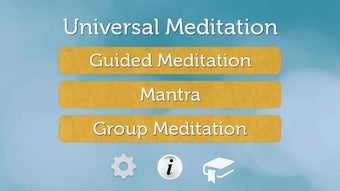


Download Universal Meditation – Free Mac Meditation App for Health & Wellness
Overview of Universal Meditation
Universal Meditation is a completely free Mac application designed to bring mindfulness and relaxation into the daily routine of anyone seeking a calmer mind. Positioned in the Science & Education category with a dedicated Health sub‑category, the software focuses on guided meditation sessions, ambient soundscapes, and customizable timers that suit both beginners and seasoned practitioners. Since its debut in 2016, the app has maintained a modest but steady download count, reflecting a niche community that values its simple, ad‑free experience.
The current version, 1.9, was last updated on 1 April 2017 and runs on macOS versions that support 64‑bit applications. Although the exact install size is not disclosed, the lightweight design ensures the program occupies minimal disk space, making it ideal for laptops and older Mac hardware. The interface is fully English, offering an intuitive layout that eliminates the learning curve often associated with meditation software.
By focusing on a clean design, high‑quality audio, and a range of session lengths—from five‑minute quick resets to hour‑long deep dives—Universal Meditation aims to become a go‑to mental‑wellness companion for Mac users who prefer a native, no‑cost solution.
Key Features and Simple Installation
- Guided meditation tracks covering stress reduction, focus, sleep, and gratitude.
- Customizable ambient sound library with nature sounds, binaural beats, and white noise.
- Flexible timer with pre‑set intervals (5 min, 10 min, 20 min, 30 min) and user‑defined durations.
- Progress tracker that logs session count, total meditation time, and streaks.
- Full-screen “Zen mode” that hides distractions and displays a soothing visual backdrop.
- Automatic updates that keep the sound library fresh without requiring a manual download.
- Zero‑advertising policy – the app remains completely free and unobtrusive.
Installation & Usage Instructions
Installing Universal Meditation is a straightforward process that even non‑technical users
can complete in a few minutes. Begin by navigating to the official download page and
clicking the Download for macOS button. The file arrives as a compressed
.dmg package.
Open the package, then drag the Universal Meditation icon into the Applications folder as prompted. macOS may display a security warning because the app isn’t from the App Store; simply click “Open Anyway” in System Preferences → Security & Privacy. Once installed, launch the app from the Applications folder or Spotlight search. The first run presents a brief onboarding wizard that asks you to choose a default meditation length and preferred background sound.
After setting your preferences, you’ll land on the main dashboard where you can start a session with a single click, explore the sound library, or view your progress stats. The interface is designed for quick access: a large “Start Session” button, a timer slider, and a mute toggle are all visible at a glance. If you ever need to adjust settings, click the gear icon in the upper‑right corner to modify audio levels, change the visual theme, or reset your progress.
Because the app updates automatically, you’ll always have the latest meditation tracks without any extra effort.
Compatibility, System Requirements, and Pros & Cons
Universal Meditation is built exclusively for macOS and supports any Mac running macOS 10.11 (El El Capitan) or later. The application is a 64‑bit binary, which means it works seamlessly on Intel‑based Macs as well as Apple Silicon (M1, M2) devices thanks to macOS’s Rosetta 2 translation layer. Because the software is lightweight, it requires only a minimum of 200 MB of free disk space and less than 50 MB of RAM while a meditation session is active. The app runs in both dark and light modes, automatically adapting to the system appearance setting. Users can also launch the program in “Zen mode” which disables all menu bars and notifications for a truly distraction‑free experience.
Pros
- Free and ad‑free: No hidden costs or intrusive advertising.
- Native macOS performance: Smooth operation on both Intel and Apple Silicon.
- Rich audio library: High‑quality guided tracks and ambient sounds.
- Customizable timers: Fits any schedule, from quick breaks to deep sessions.
- Progress tracking: Motivates consistent practice with visual stats.
Cons
- Limited platform support: Available only for macOS; no Windows, Android, or iOS versions.
- Small user base: Fewer community resources and third‑party integrations.
- Outdated UI design: Visuals feel dated compared to newer wellness apps.
- No multilingual support: English‑only interface may deter non‑English speakers.
- Last update in 2017: Lack of recent feature enhancements could affect long‑term relevance.
Universal Meditation offers a solid, no‑cost solution for Mac users who want to incorporate mindfulness into their daily routine. While the UI could benefit from a modern refresh, the core functionality—guided sessions, ambient sounds, and progress tracking—remains reliable and effective. Its biggest drawback is the lack of cross‑platform availability, but for those firmly within the Apple ecosystem, it’s a worthwhile addition to any productivity or wellness toolkit.
Frequently Asked Questions
Is Universal Meditation completely free?
Yes, the app is 100 % free with no hidden charges or in‑app purchases.
Can I use the app on Windows or mobile devices?
Currently Universal Meditation is only available for macOS. There are no Windows, Android, or iOS versions at this time.
Do I need an internet connection to run meditation sessions?
No. All guided tracks and soundscapes are stored locally after the first download, so you can meditate offline.
How does the progress tracker work?
Each time you finish a session, the app records the duration and updates a simple dashboard showing total minutes meditated, number of sessions, and streak days.
Is my personal data collected or shared?
Universal Meditation does not require an account, and no personal data is transmitted to external servers. All usage data stays on your device.
Conclusion & Call to Action
If you own a Mac and are looking for a straightforward, cost‑free way to introduce daily meditation into your life, Universal Meditation delivers exactly that. Its robust set of guided sessions, ambient sound options, and a no‑frills interface make it an attractive choice for anyone who prefers a native macOS solution over web‑based alternatives. While the app could benefit from a modern visual overhaul and expanded platform support, its core functionality remains solid and reliable. Download Universal Meditation today, start a five‑minute session, and experience the calming benefits for yourself—no subscription, no ads, just pure mindfulness.







